Have you ever sat down at your desk on a Monday morning, looked around at the random coffee mugs, tangled wires, and loose mail, and immediately felt exhausted? You aren't imagining things. There is a straight line between the state of your physical desk and how quickly your brain tires out during the day. When your desk is chaotic, your mind stays in a subtle state of alertness, constantly scanning the room instead of sinking into deep, uninterrupted work.
Today, nearly a quarter of the American workforce operates from home in a fully remote or hybrid setup.¹ The days of treating your workstation like a temporary perch at the kitchen table are long gone. Building a productive, dialed-in workspace isn't about creating an Instagram showroom. It's about designing a personal cockpit that protects your attention, supports your physical body, and lets you pack up clean at the end of the day.
Why Your Workspace Matters
Visual noise acts like an invisible leak in your daily energy tank. When random items crowd your peripheral vision, your visual cortex has to work overtime just to tune them out. In fact, research from Yale University showed that visual clutter alters information flow in the brain, competing directly for neural resources and making it harder to process what is actually important.²
Every loose receipt or stray charger is tapping you on the shoulder while you try to draft an email or crunch numbers.
Taking control of your environment immediately buys back cognitive bandwidth. When your space feels calm and organized, sitting down to work stops feeling like an uphill battle. You spend less time hunting for lost notebooks and more time getting things done.
The Foundation of Decluttering and Zoning
If your desk is currently buried, moving a few pens into a cup won't fix the underlying problem. You need to start from scratch.
Clear everything off your desk surface. Everything. Take off the monitor, the mousepad, the sticky notes, and the cables until you are staring at a completely bare slab of wood. Now, before you put a single item back, sort your belongings into three clear zones based on how often you actually reach for them
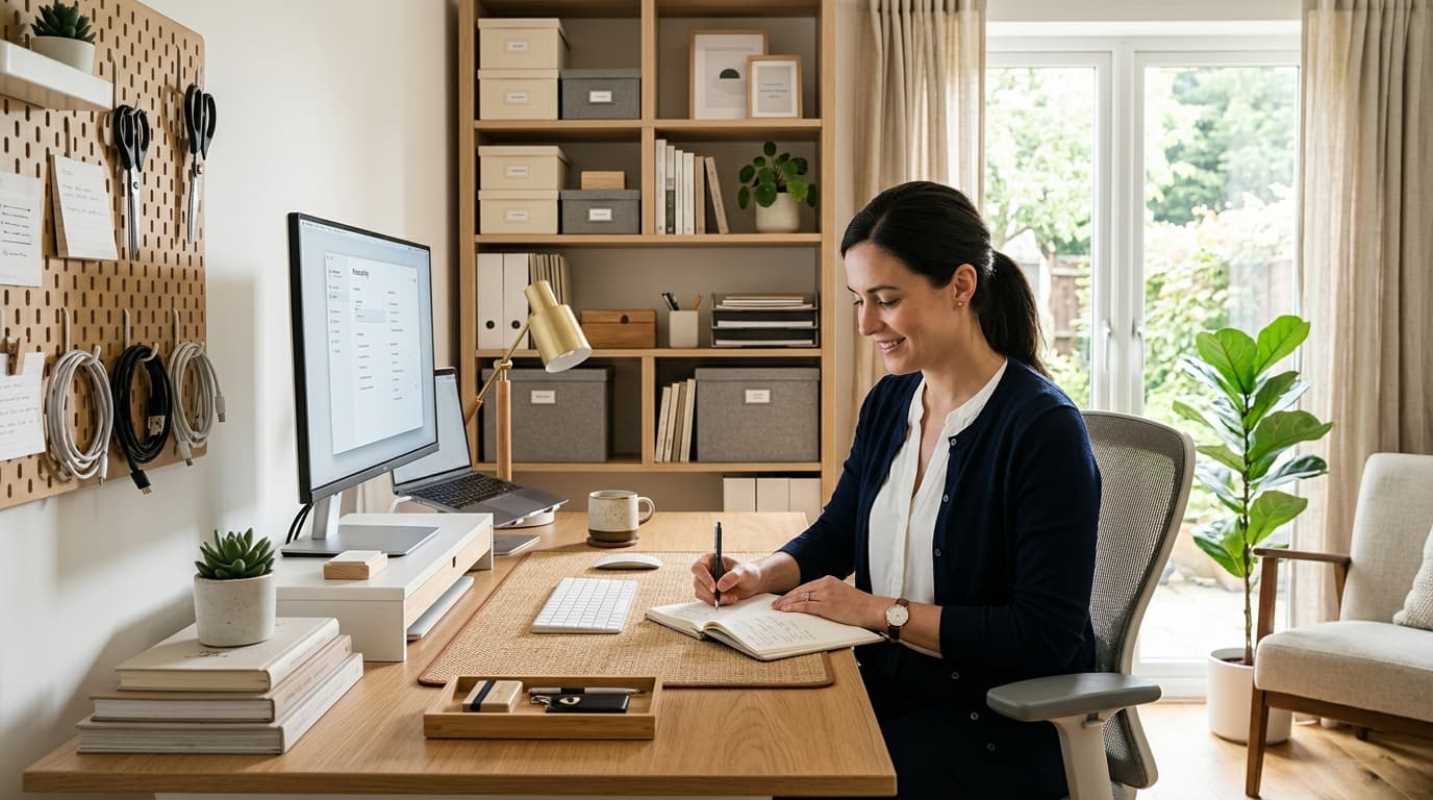
• Zone 1 (Primary Reach): This covers the area directly in front of you, roughly 14 to 18 inches away. The only things allowed here are items you touch continuously throughout your day. That means your keyboard, mouse, active notebook, and one favorite pen. Keep this surface mostly clear.
• Zone 2 (Secondary Reach): This spans an arm's length away, roughly 18 to 30 inches. Here is where you place items you need several times a day. Think about your monitor, your primary desk light, a water bottle, and a charging dock for your phone.
• Zone 3 (Tertiary Storage): This is everything outside arm's reach. Printers, archived tax forms, backup charging cables, and spare stationery live here. If you only touch something once a week or once a month, it has no business sitting in front of your eyes.
When you enforce these physical zones, you stop treating your primary work surface like a storage bin.
Smart Storage Solutions for Small Spaces
Most people working from home do not have an enormous executive suite. You might be tucked into the corner of a bedroom, a converted closet, or a narrow hallway nook. In a compact space, smart storage is what keeps your room functional.
The golden rule for small offices is to favor closed storage over open shelving. Open cubbies and wire racks tend to display clutter rather than hide it. Instead, use opaque drawers, solid storage boxes, or closed cabinets. When you close a cabinet door, all those extra cables and reference books instantly vanish from your visual field.
Next, look up. Walls offer prime real estate that most people completely ignore. Installing a couple of sturdy floating shelves or an acoustic felt wall board lets you lift desktop organizers off your limited work surface.
Multifunctional furniture also makes a huge difference
• Storage Desks: Pick a desk with built-in, slim drawers rather than a plain table. This gives you a dedicated spot for your daily tools without eating up extra floor area.
• Rolling File Carts: A compact, three-tier rolling metal cart fits neatly under most desks during the day and rolls out of sight into a closet when company visits.
• Monitor Risers with Cubbies: An elevated monitor stand helps your neck, but it also creates a hollow pocket underneath where you can slide your keyboard out of the way when you need to write on paper.
Optimizing Ergonomics and Workflow
An organized desk does not help much if sitting at it gives you a stiff neck by 2:00 PM. Good ergonomics can lift individual work performance by up to 15%, mainly by eliminating the physical aches that constantly pull you out of your flow.³
Start by checking your posture against the standard 90-90-90 rule
• Arms: Adjust your chair armrests and desk height so your elbows rest between 90 and 100 degrees when typing. Your wrists should sit flat, not bent backward.
• Legs and Feet: Set your chair so your knees form a right angle with your thighs parallel to the ground. If your feet dangle, add an angled footrest immediately to relieve pressure on your lower back.
• Screen Position: Raise your monitor so the top third of the glass aligns with your eye level when sitting tall. Position the screen about an arm's length away. Looking down at an unraised laptop puts intense pressure on your cervical spine, leading directly to afternoon headaches.
Once your chair and monitors are aligned, tackle the nest of cables behind them. Dangling black cords make even the cleanest room look messy. Run power strips into an under-desk cable management tray, use Velcro ties to bunch monitor lines together, and invest in a single USB-C or Thunderbolt hub. Plugging one single cord into your laptop to run your screen, power, and accessories keeps your desk clean and makes transitions painless.
Habits for Long-Term Success
Organization is not a one-time project. It is an ongoing system maintained by a few dead-simple habits.
First, implement the five-minute shutdown ritual. When your workday ends, do not simply walk away from your desk. Spend five quick minutes clearing coffee cups, closing open pen caps, filing loose papers, and pushing your chair in. Returning your office to a clean baseline creates a psychological boundary between work time and personal time. Best of all, it gives your future self an inviting, stress-free space to sit down to the following morning.
Second, practice the "touch it once" rule for incoming physical papers. When mail or receipts hit your office, handle them right away. Scan them, file them into a drawer, or toss them into the recycling bin. Letting paper pile up in a "to review" tray guarantees clutter will return within two weeks.
Finally, clean out your digital space as regularly as your physical one. An empty desktop surface feels much less satisfying if your computer screen is covered in 85 disorganized document icons. Clear your desktop downloads folder every Friday afternoon.
Your Personalized Command Center
A functional office setup is not about rigid perfection or copying someone else's aesthetic. It is about building an intentional environment that supports how your brain and body actually operate.
Think of your workspace as a direct investment in your daily energy and peace of mind. By establishing strict desk zones, tucking equipment behind closed storage, dialing in your screen ergonomics, and sticking to a fast daily reset, you create a space that works for you instead of against you.
Pick one small improvement to tackle today. Clear your primary reach zone, mount your monitor, or bundle up that rat's nest of cords under your feet. Your focus will thank you tomorrow.
Sources:
1. Working From Home and Productivity: Insights from the 2025 Remote Work Study
https://ritzherald.com/working-from-home-and-productivity-insights-from-the-2025-remote-work-study/
2. Visual Clutter Alters Information Flow in the Brain
https://news.yale.edu/2024/10/22/visual-clutter-alters-information-flow-brain
3. Office Ergonomics Trends: What's New in Workplace Design
https://ewiworks.com/office-ergonomics-trends-for-2025-whats-new-in-workplace-design/